
Download Easy Photo Uploader for Facebook – Photo Sharing, Social Media, Utility Tool
Overview
Easy Photo Uploader for Facebook is a streamlined mobile application designed to simplify the process of sharing photos on one of the world’s most widely used social networks. The app focuses on reducing friction during image uploads by integrating core functionalities such as login authentication, photo selection, automatic resizing, and format conversion. Its primary purpose is to help users share personal moments quickly and efficiently, eliminating the need for multiple steps or third-party tools. This utility is especially beneficial for individuals who frequently post photos to their Facebook profiles, including families, content creators, and casual social media users.
The app addresses common pain points in social media sharing, such as image size mismatches, format incompatibility, and slow upload speeds. By automating critical steps like resizing and conversion, it ensures that photos meet Facebook’s technical requirements without user intervention. This not only improves upload success rates but also enhances the visual quality of shared content. Real-world use cases include organizing event photos, sharing vacation memories, or maintaining a curated visual timeline on a personal profile.
Although the developer did not provide additional technical details, the app’s compact design and focus on core functionality suggest a lightweight, dedicated tool built for efficiency. In the broader app ecosystem, it fills a niche for users seeking a no-frills solution to a recurring task—uploading photos to Facebook. Its presence underscores the ongoing demand for specialized utilities that enhance the usability of major platforms.
Key Features & Functionality
- User-Friendly Interface: The application features an intuitive layout that minimizes user effort. With clear navigation and minimal steps between login and upload, even first-time users can operate it effectively. This design philosophy ensures that the focus remains on sharing photos, not mastering the app.
- Automatic Resizing: Images are resized to align with Facebook’s recommended dimensions, ensuring optimal display across devices. This prevents distortion and maintains image clarity, improving the overall visual experience for viewers.
- Format Conversion: The app automatically converts unsupported image formats into JPG, a standard format accepted by Facebook. This eliminates compatibility errors and ensures that users can upload photos from any source without prior editing.
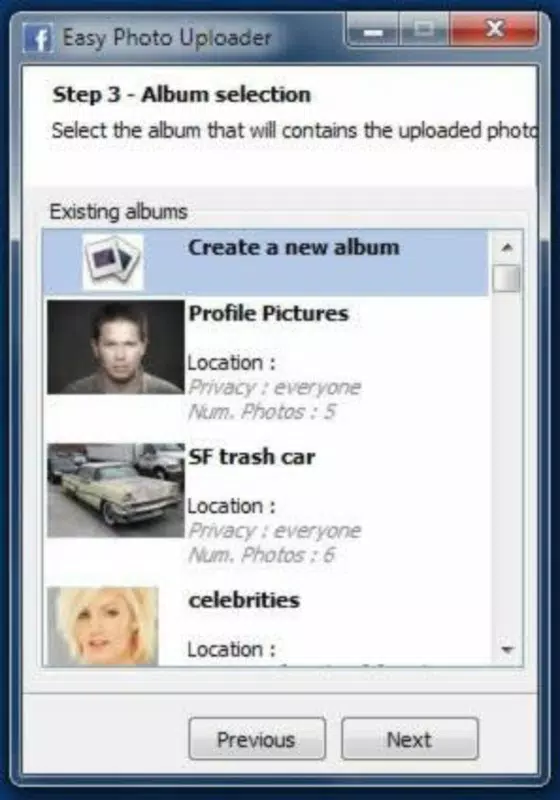
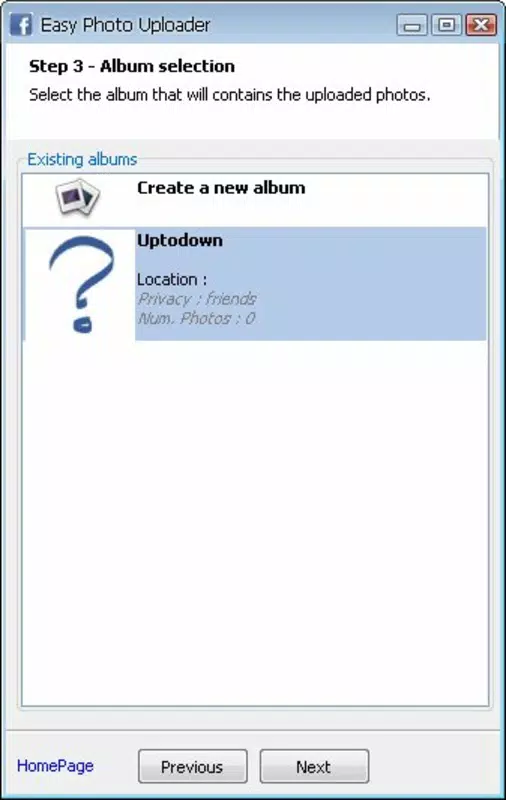
- Folder Organization: Users can designate specific folders within their Facebook profile for uploaded photos. This feature supports better content categorization, making it easier to locate and manage images later.
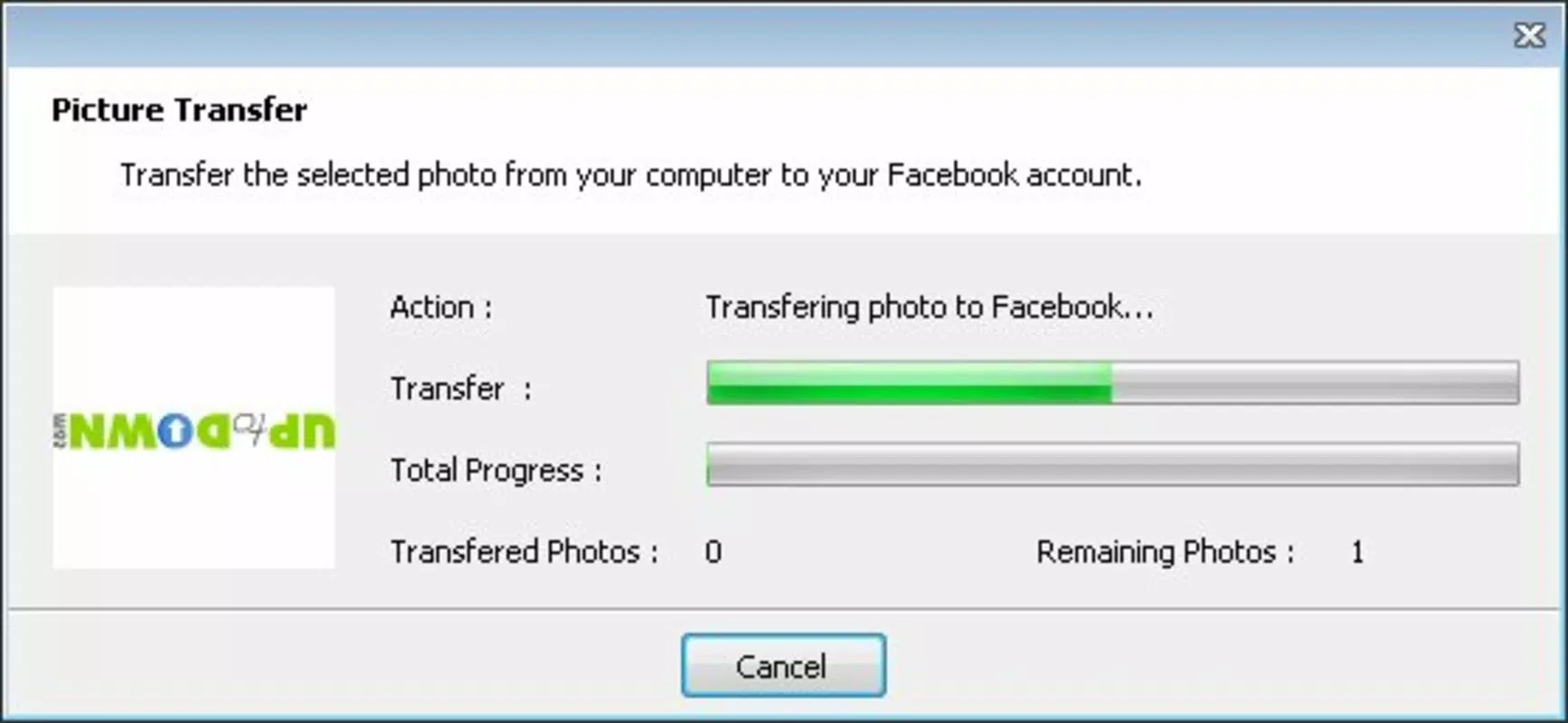
- Fast Uploads: By optimizing the upload pipeline, the app reduces processing delays, especially when handling multiple images. This efficiency allows users to share large batches of photos with minimal wait time.
For example, a user preparing to post a full album from a family gathering can select all photos, assign them to a “Family Reunion 2024” folder, and initiate the upload. The app handles resizing and conversion in the background, delivering a seamless experience. This functionality is particularly valuable for users who prioritize speed and consistency in their social media activity.
Interface, UX & Performance
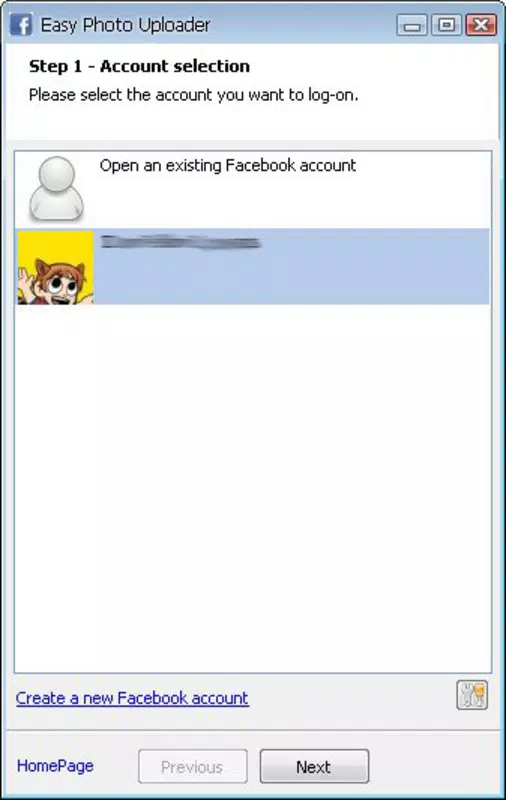
The user interface of Easy Photo Uploader for Facebook emphasizes clarity and simplicity. The layout is clean, with logical grouping of functions such as login, photo selection, and upload initiation. Navigation is linear and predictable, reducing the chance of user error. Visual cues are minimal but effective, helping users understand each stage of the upload process.
Although the developer did not list formal performance metrics, the app’s design suggests responsiveness across various device categories. Users can expect smooth transitions between screens and timely feedback during uploads. The app appears to maintain stability during batch processing, though no specific data on crash rates or memory usage was provided.
Performance on older or lower-end devices may vary, but the lack of complex animations or resource-heavy elements indicates a lightweight footprint. The app likely operates efficiently on both entry-level and high-end smartphones, ensuring broad accessibility. Overall, the user experience is optimized for speed and reliability, aligning with the app’s core promise of hassle-free photo sharing.
Platform Compatibility & Technical Requirements
Easy Photo Uploader for Facebook is available on Android, as indicated by the provided information. The app’s latest version is not specified, nor are the minimum OS requirements. The file size is also not disclosed, which may affect installation on devices with limited storage.
The developer did not specify minimum OS requirements or compatibility details for specific Android versions. As a result, users should verify the app’s compatibility with their device before installation. Similarly, no information was provided about supported hardware features such as camera access or storage permissions.
Given the app’s focus on photo uploading and Facebook integration, it likely requires internet connectivity and access to the device’s photo library. However, specific permission details were not listed. Users are advised to review the app’s permissions during installation to ensure transparency and security.
Pros and Cons
Pros
- Streamlines photo uploads to Facebook with minimal user input
- Automatically resizes and converts images for compatibility
- Supports folder organization for better photo management
- Designed with a simple, intuitive interface for all skill levels
- Enables faster batch uploads compared to native Facebook methods
Cons
- Specific technical details such as OS version and file size were not provided
- Compatibility with older Android versions is uncertain
- No information on data usage or background processing behavior
- Developer did not disclose privacy or security practices
- Updates and future development plans are not publicly documented
FAQ
Is Easy Photo Uploader for Facebook free to download?
Yes, the app is available for free download. However, specific pricing details were not listed in the provided information.
Does the app require internet access?
Yes, an active internet connection is required to log in to Facebook and upload photos.
Can I use this app on iOS devices?
Based on the available information, the app is currently only available on Android. No iOS version was mentioned.
Does the app store my photos locally?
The app accesses photos from the device’s library for upload but does not specify whether it retains local copies. Users should review the app’s privacy policy for clarity.
How often does the app receive updates?
Update frequency was not disclosed. Users are advised to check the app store for the latest version and improvements.
Final Thoughts
Easy Photo Uploader for Facebook stands out as a focused, efficient tool for users who value speed and simplicity in social media sharing. Its automation of resizing and format conversion removes common barriers to uploading, while the folder organization feature adds a layer of structure to personal photo collections. Though limited in transparency regarding technical specs and developer practices, the app delivers on its core promise: making photo sharing on Facebook faster and more reliable.
It is ideal for individuals who frequently post images, especially those managing multiple albums or sharing large volumes of content. The app’s lightweight design and intuitive interface make it accessible to users of all experience levels. In a digital landscape where time and visual quality matter, Easy Photo Uploader for Facebook offers a practical solution for enhancing the social media experience.
Download Easy Photo Uploader for Facebook now


